Logo

Get Ready for Onboarding

Start your trading journey with a simple and secure onboarding process.


Before You Start

Make sure you have these documents ready to complete your application:

Documents need to be in either PDF or JPEG format.
Maximum file size per document is 5 MB.

  1. NRIC (Front) / Passport (Cover)
  2. NRIC (Back) / Passport (Profile)
  3. A selfie holding your NRIC / Passport
  4. Latest bank statement
Document Upload Guide

MyKad / Student ID

The following cases are not acceptable:

Blurry ID
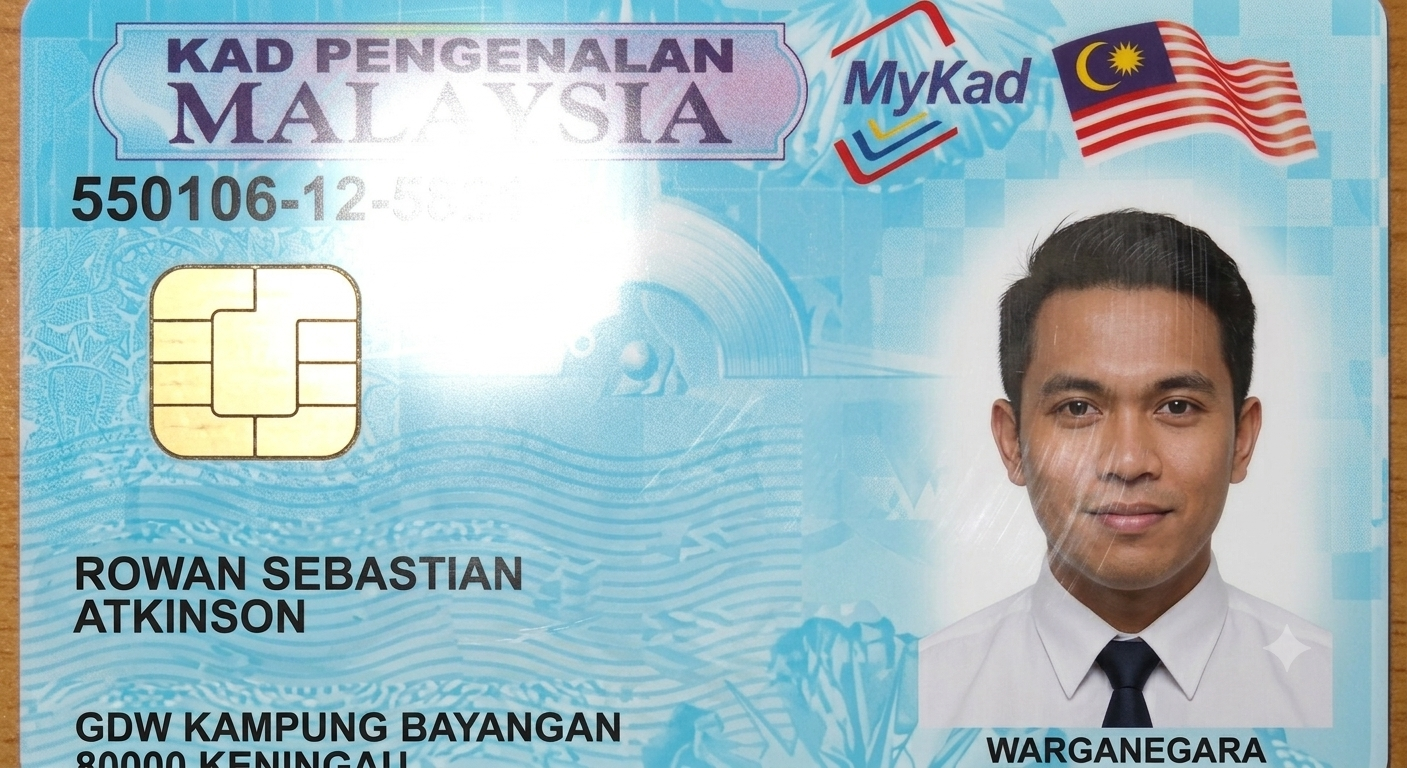
Blurry ❌

Glare ID

Glare ❌

Invisible Edge ID

Invisible Edge ❌

Bank Statement

  • Do not convert screenshots into PDF
  • Remove password protection
  • Your statement must include:
  1. Bank logo
  2. Your full name
  3. Bank Account Number
  4. Latest 1-month transaction(s)

Selfie Photo

Take a clear selfie photo holding your NRIC / Passport.

Make sure your face and ID are fully visible, without glare, blur, or cut edges.

Tip: Prepare all documents correctly before starting Step 3 (Complete Your Registration Form) to avoid rejections or delays.

How to Get Started

Step 1
Step 1: Begin Your Registration
  • Go to Trade GP website, click Sign Up and do verify.
Step 2
Step 2: Confirm Your Email Address
  • Open your inbox and click the activation link to proceed with your registration.
Step 3
Step 3: Complete Your Registration Form
  • Choose your subscription plan and complete all required sections in the registration form.
Step 4
Step 4: Receive Your Account Credential
  • Check your inbox to proceed. We’ve sent you an email with:

1. Your GP Buddies password
2. Your account opening letter

Step 5
Step 5: Activate Your Trading Account
  • Open the account opening letter and click the trading activation link to proceed.
Step 6
Step 6: Create Login Credentials
  • Create login details. Fill the form with:

1. Your username
2. Your password
3. Your PIN

Step 7
Step 7: Install and Login TradeGP
  • Get your apps ready and log in:

1. Install the Trade GP app
2. Log in to the Trade GP app

Step 8
Step 8: Install and Login GP Buddies
  • Get your apps ready and log in:

1. Install the GP Buddies app
2. Log in to the GP Buddies app

Full Step-by-Step Video Guide TradeGP

Watch our community partner’s honest review of Trade Kinetic! See how easy it is to get started, discover the benefits for new users, and learn how our platform helps you trade smarter and faster. Perfect for beginners and experienced traders alike.

Full Step-by-Step Video Guide GP Buddies

Watch our community partner’s honest review of Trade Kinetic! See how easy it is to get started, discover the benefits for new users, and learn how our platform helps you trade smarter and faster. Perfect for beginners and experienced traders alike.

Ready to begin? Sign up below and start your journey today!